
1 September 2026
Inside the Wildnation app
How your Perth Wildcats tickets, arrival details and parking passes come together in one place on game night.
Game night starts long before tip-off. It starts with the question everyone asks in the group chat: who has the tickets? Wildnation exists to make that question disappear.
One place for every seat
Every ticket you hold sits in one list, with the detail that actually matters on the night — section, row, seat, and the door you walk through. No PDF hunting, no forwarded email chains.
- Access every ticket you have been given
- Manage which seats go to which people
- Share a seat in a couple of taps, and take it back if plans change
Built around the night, not the back office
Arrival details travel with the ticket
Doors, tip-off, and the entry gate are on the ticket itself. If the venue moves an entry point, the ticket updates — the person holding it does not need to be told twice.
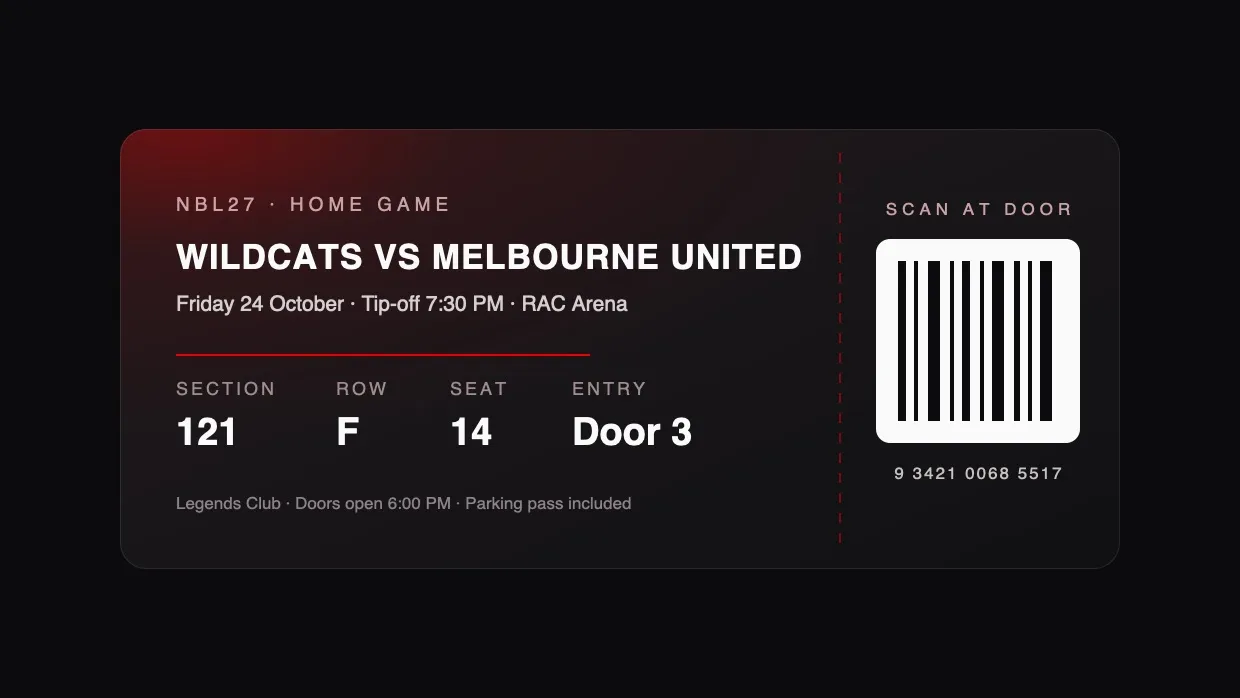
Sharing is a decision, not a workflow
Handing a seat to a colleague takes one action. Behind the scenes there are allocations, assignments and deliveries; on screen there is a seat and a person.
More than a ticket. You're part of it.
For developers
Article content is plain Markdown with frontmatter, so publishing is a matter of adding a file:
# content/blog/my-new-article.md
touch content/blog/my-new-article.md
The frontmatter drives the listing, the metadata and the social image:
---
title: My new article
description: One sentence for the card and the meta description.
date: 2026-10-24
cover: /images/blog/my-new-article.jpg
tags: [product]
draft: false
---
Set draft: true and the article stays out of the listing and the sitemap until
it is ready.
What's next
We are shaping the app around the way Wildcats members actually use it. If something on game night feels harder than it should, that is a bug worth hearing about — see the Terms and Privacy pages for how to reach us.